How the Figma MCP Connector Helps Keep Your Demand Engine On-Brand
Every agentic marketing stack eventually runs into the same wall: AI can write the copy, build the landing page and launch the sequence, but it does not automatically know what your brand looks like.
It does not know your button radius, heading scale or approved color variables. It cannot reliably tell which components belong to the current design system and which are abandoned drafts from three redesigns ago. Without that context, agentic output either looks generic or requires a designer to rebuild it by hand, which defeats much of the purpose of running a Demand Engine in the first place.
The Figma MCP connector helps close that gap. It gives the agents inside your Demand Engine structured access to components, variables and layouts held in Figma, so creative production can move faster without becoming disconnected from the brand.
What the Figma MCP Connector Actually Does
Figma's MCP server allows compatible AI tools to retrieve structured design context from a selected frame, component or file. Instead of asking an agent to interpret a flat screenshot and estimate spacing, typography and colors, the server can supply component and layout information, the variables behind colors and typography, layer relationships, and, when Code Connect is configured, references to the corresponding components in a production codebase.
That distinction matters. A screenshot shows an agent what a button looks like. Structured Figma context tells it which component the button uses, which properties are active and which variables drive its appearance, then points to the real import path if Code Connect is set up. The Figma MCP server can also write directly to the canvas to create or modify native content, which extends its usefulness beyond design-to-code work, though this capability is still in beta and requires clear instructions and human review.
Where Figma Sits in the Three-Layer Demand Engine
Hiper's Demand Engines run on three layers: the raw client offer, the transformation layer that turns that offer into channel-ready assets, and the MCP layer that connects the system to the tools where client context already lives. Figma sits in the MCP layer, supplying the design context the transformation layer draws on, and it supports governance by giving validation workflows an authoritative set of components and rules to check against.
Infrastructure. The connector is the pipe between Figma and the agentic workflow. Figma provides a recommended remote MCP server authenticated through OAuth, plus a desktop server for specific enterprise cases. Access and usage limits vary by plan and seat type.
Capabilities. Once connected, an agent can pull context from approved templates, inspect the variables behind a layout and reference existing components when producing an implementation.
Governance. Figma supplies the source material, but the connector does not enforce brand standards on its own. Hiper's workflows determine which frames the agent can use, which components count as authoritative, and when human approval is required. Figma provides the design truth; the Demand Engine turns it into a controlled process.
Why This Matters More Than It Used To
AI is already shaping the B2B buying process. Forrester found that 94% of business buyers used AI during their buying journey, including to research vendors and compare alternatives. That shift raises the stakes on producing generated output that stays consistent with the same offer, positioning and visual identity across every touchpoint, human-reviewed or not.
At the same time, Gartner predicts that 33% of enterprise software applications will include agentic AI capabilities by 2028, and in the same report, expects more than 40% of agentic AI projects to be canceled by the end of 2027 over escalating costs and unclear business value. The lesson isn't that every process needs an agent bolted onto it. It's that agentic workflows need authoritative context and measurable controls, or they become exactly the kind of project Gartner is describing. A connector like Figma MCP earns its place by tying generation back to an existing source of truth instead of adding another ungoverned tool to the stack.
A Practical Walkthrough
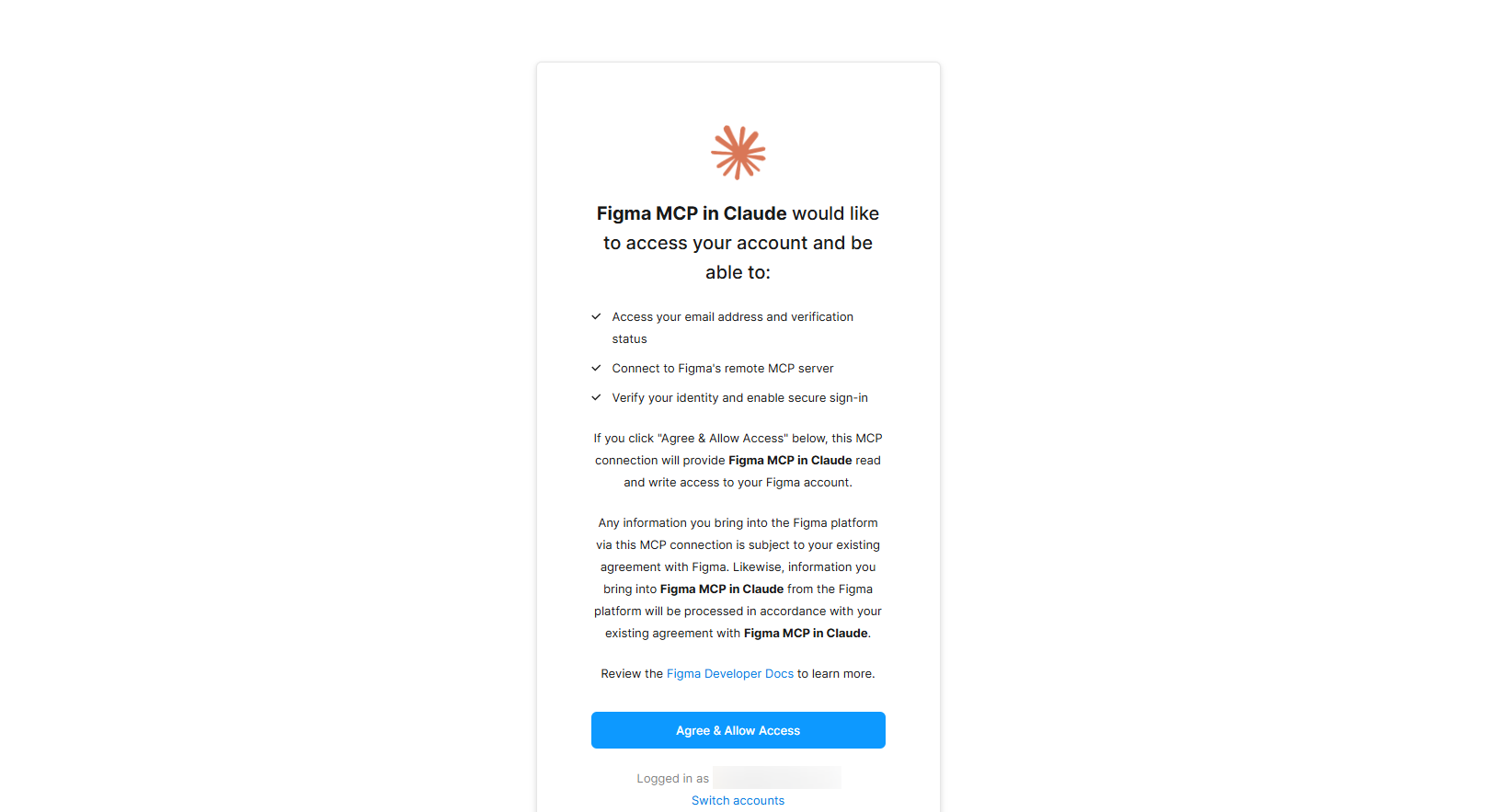
1. Connect the recommended remote server. For most teams, the remote server is the right starting point: it authenticates through OAuth and doesn't require the Figma desktop app. The desktop server needs a Dev or Full seat on a paid plan and suits specific enterprise cases, but shouldn't be the default. Check your seat type first: Starter, View and Collab seats are capped around 6 tool calls a month, while Dev and Full seats on paid plans get much higher, per-minute limits.
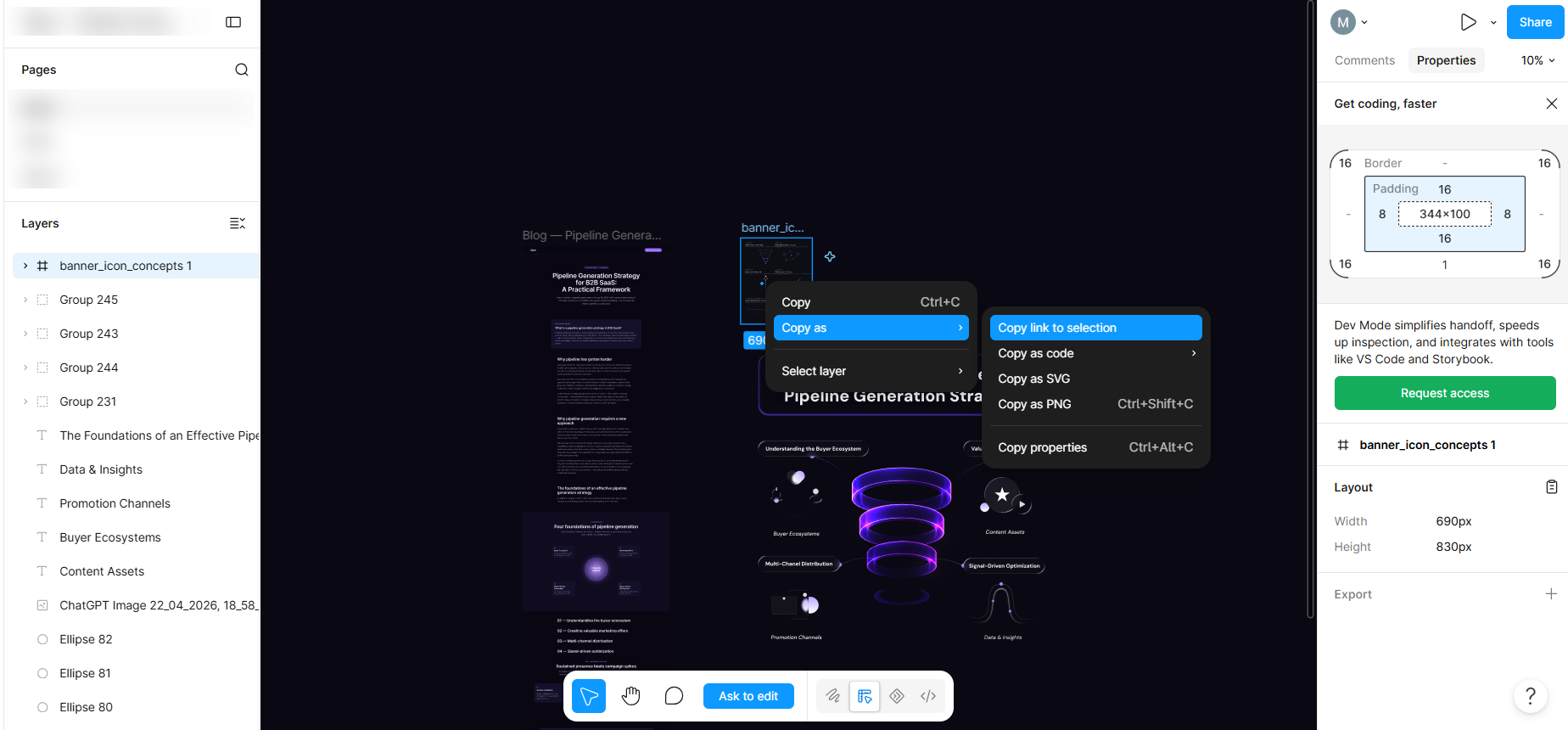
2. Scope the connection to one frame. Feeding an entire multi-page file into an agent floods its context and produces vaguer output, not better output. Select the specific approved frame or component set the task actually needs.
3. Define what counts as authoritative. A locked layer isn't the same as an approved component; locking prevents edits, but it doesn't prove the component is current. Spell out, in the agent's instructions, which library components are live, which frames are drafts or archived, and which elements require a designer's sign-off before anything ships.
4. Add Code Connect when exact code reuse matters. Without it, an agent can still generate an implementation from the design context alone, but it's more likely to approximate a component than reuse the real one. Code Connect is available on Figma's Organization and Enterprise plans with a Full or Dev seat, and setup runs through a CLI that maps each component to its real import path. See Figma's Code Connect documentation for the full setup walkthrough, including what a mapped component looks like in the Dev Mode panel once it's live.
5. Generate one bounded asset first. Start with a single landing-page section rather than a full campaign, so any missing context or governance gap surfaces before the workflow scales to more formats.
6. Run validation as a separate pass. Have a second check (a different agent or a human reviewer) compare the generated asset against the approved frame for component reuse, spacing and color-token accuracy, rather than letting the generating agent grade its own work.
7. Record what was used. Log the frame, the component library, whether Code Connect mappings were available, and which exceptions were approved. That record is what makes the workflow repeatable and shows where the design system itself needs cleanup.
What This Looks Like in a Real Campaign
A client offer needs a landing page, three ad variants and a set of social creatives within a week. Without structured Figma context, the agent is working from a style guide PDF or a designer's verbal sense of "the brand," which leaves plenty of room to invent a layout or apply an off-system color combination. With the connector in place, the agent references the approved template and its real components instead, and the designer's role shifts from rebuilding generated work to reviewing flagged exceptions.
This matters even more when Hiper runs Demand Engines for several B2B clients at once. Without client-specific grounding, agentic output drifts toward a generic look. Referencing each client's own Figma libraries and variables is what keeps output distinguishable client to client.
Common Failure Modes
A few patterns show up often enough to name directly: pointing an agent at an entire workspace instead of a specific frame, letting deprecated components sit next to current ones with no labeling, treating a locked layer as proof of approval, skipping Code Connect when exact implementation reuse actually matters, and assuming the connection itself is a governance system rather than a data source that still needs rules wrapped around it. Rate limits on lower Figma seat tiers are also worth checking before designing a workflow around continuous generation.
The Trade-Off Worth Naming
None of this is free. Code Connect takes real engineering work to set up, Figma libraries need an owner, and deprecated components need to be archived rather than left in place. These are reasons to treat the setup as real operational work, the same way Hiper treats its own internal brand document: an owned, actively maintained source that other systems defer to, not a static file nobody updates.
Marketing teams already sit inside a crowded tool landscape. Chiefmartec's 2026 landscape counts 15,505 martech products, and design tooling becomes one more silo in that pile if it stays disconnected from the systems producing campaigns. The point of an MCP layer isn't to add another tool. It's to make the systems that already hold a company's source of truth legible to the agents doing the work.
Where Figma Fits Alongside Your Other Connectors
Figma is one piece of a broader connector strategy. Paired with the Notion connector for briefs and internal documentation, or the Apollo connector for account and pipeline data, the design layer stops operating in isolation from the rest of the Demand Engine. A brief maintained in Notion and enriched with Apollo account data can become an on-brand landing page grounded in approved Figma components, then pass through the same validation and review steps before it ships.
That's the actual promise of an agentic Demand Engine: not that every tool gets an AI wrapper, but that authoritative systems can feed a coordinated workflow without losing the governance that makes their data useful in the first place. The next connector in this series covers Slack, and how real-time team communication becomes another input the Demand Engine can act on, rather than just a channel it posts updates to.

