Notion MCP Setup: Turning Your Notion Workspace Into an AI Agent's Source of Truth
Most companies already have a Notion page that everyone quietly treats as the real answer. It is the document people link to in Slack when someone asks, "Wait, what's the official messaging here?" It survives rebrands, staffing changes, and half-finishedstyle guides. In practice, it becomes the source of truth, even when nobody has formally declared it one.
The problem is that a source of truth only works when people consult it before they write, publish, or promise something. Under deadline pressure, that step is easy to skip. An AI workflow can make the check repeatable by retrieving the current source document before drafting begins.
This is where a Notion MCP setup becomes useful. The connector gives an AI client structured access to content in Notion, without requiring someone to copy and paste the page into every prompt. The workflow around the connector then determines when the page is checked, what the agent may do with it, and where human approval is required.

What Notion MCP Can Do
Notion is a flexible workspace for documents, wikis, and lightweight databases. B2B teams commonly use it as a brand and messaging hub, an internal wiki for processes and SOPs, or a project tracker.
Notion MCP connects that content to an MCP-compatible AI client such as Claude, ChatGPT, Codex, or Cursor. According to Notion's documentation, the official remote MCP server can provide tools that let a client:
- Search content in Notion and connected sources.
- Read pages and databases.
- Create pages and databases.
- Update pages, properties, and other supported content.
The connector supplies these capabilities. It does not independently decide that an agent must consult acertain page before writing, prevent the model from using unsupported claims,or approve the finished copy. Those requirements belong to the instructions,workflow logic, tool controls, and human review gates built around theconnection.
That distinction matters. MCP gives the agent access to the source. A well-designed workflow turns that access into a reliable operating rule.
Before Connecting: Understand Notion MCP Permissions
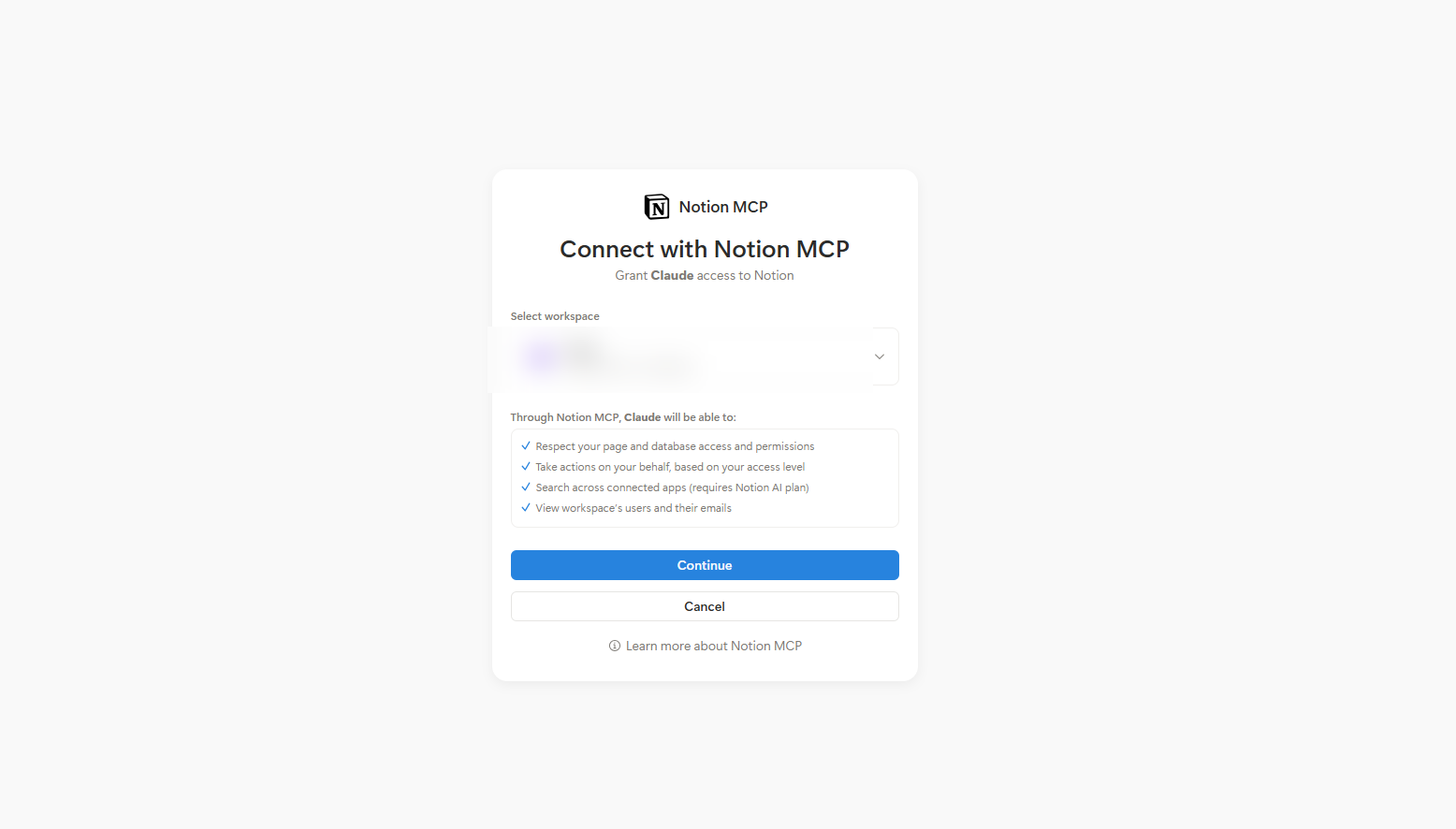
The official Notion MCP connection uses OAuth and acts with the permissions of the Notion user who authorizes it. In other words, the MCP client can access content that the connected user can access. The standard authorization flow does not create a separate page-level, read-only permission boundary for the MCP connection itself.
This means the person connecting Notion should review their access before authorizing the client. A user with broad workspace permissions may give the client the ability to search and retrieve more content than a narrow content workflow requires.
Before connecting:
Review the connected user's Notion access. Remove access to sensitive pages that the workflow does not need.
- Use a dedicated account when stronger isolation is required. Give that account access only to the approved source documents and databases needed for the workflow.
- Limit write actions in the AI client when possible. If the use case only requires retrieval, disable unnecessary write tools or require confirmation before an update runs.
- Keep human approval before publication. Grounded copy can still misinterpret a source, omit context, or introduce unsupported language.
- Review active connections periodically. Workspace owners can inspect and revoke MCP client connections in Notion's connection settings.
Notion also recommends treating retrieved content as untrusted and requiring confirmation before actions that change content. This helps reduce the risks of prompt injection and unintended edits.
How to Connect Notion MCP
The exact interface varies by AI client, but the underlying process uses Notion's official remote MCP server at https://mcp.notion.com/mcp.
Step 1: Add the Notion connector
Open the connectors or MCP settings in your AI client. Select Notion if it is available in the connector directory. If the client asks for a server address, enter Notion's official remote MCP URL.
Step 2: Authorize the connection
Sign in to Notion through the OAuth window and select the appropriate workspace. Remember that the connection operates with the access of the user completing this step.
Step 3: Test retrieval before allowing changes
Start with a read-only task in the conversation, even if the connection technically supports write actions:
"Search Notion for the approved brand messaging document. Return its exact title, current revision date, and page URL. Do not create or update any content."
Confirm that the client retrieves the correct page and identifies the current version. If it finds multiple candidates, refine the page title or provide its URL instead of allowing the agent to choose silently.
Step 4: Define the workflow rule
The connection alone does not make the source check mandatory. Add an explicit instruction to the agent or automation:
"Before drafting any market-facing content, retrieve the approved messaging document from Notion. Use it as the primary source for positioning, terminology, product claims, and approved statistics. If a required claim cannot be verified in that document, flag it instead of inventing or inferring it."
For recurring production, this instruction should live in the workflow configuration rather than depend on a writer remembering to add it to every prompt.
The Workflow: Ground Content Before Drafting
Consider a B2B company with one controlled Notion page containing its positioning, category language, approved statistics, terminology rules, and change history. The page has a named owner, a current revision date, and a clear precedence rule over old decks or Slack conversations.
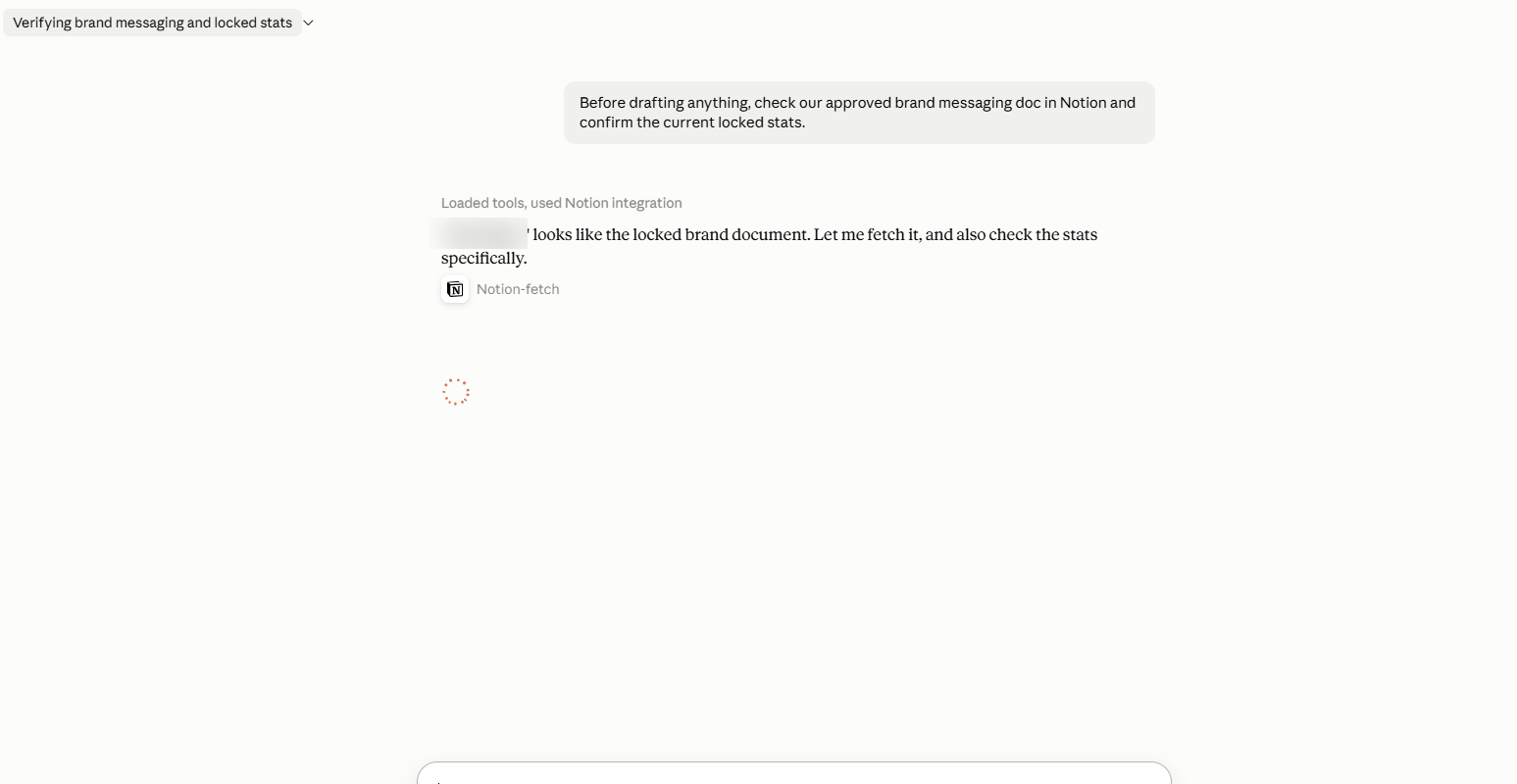
Before the AI client drafts a knowledge base article, client deliverable, or social post, the workflow retrieves that page. It then uses the approved information to produce the requested asset and flags anything the source does not support.
A practical prompt could be:
"Retrieve the current approved messaging document from Notion before writing. Then create an outline for a knowledge base article about intent-driven marketing for B2B SaaS leaders. Use the approved category language, product description, terminology, and customer proof exactly as governed by the source. Do not introduce performance claims that the document does not support. At the end, provide a short verification list showing which Notion sections supported the positioning, proof points, and terminology. Do not update Notion or publish the article."
The expected sequence is:
- The AI client calls the Notion search tool.
- It identifies the controlled source document.
- It retrieves the current page content.
- The model drafts from that content according to the workflow instructions.
- It reports unsupported or ambiguous claims rather than silently filling the gaps.
- A human reviews the output before it moves downstream.
If the source changes, the next run can use the updated information, provided the workflow is configured to retrieve the page again at the start. This is more reliable than assuming the model will remember a previous version or that every writer has seen the latest Slack announcement.
What Happens Behind the Scenes
Several components contribute to this workflow, and each has a different responsibility:
- Notion: Stores the governed source document and its current content.
- Notion MCP: Gives the AI client tools to search, read, create, or update supported Notion content.
- AI client: Makes the tools available and may provide controls or confirmations for their use.
- Workflow instructions: Require retrieval before drafting and define how unsupported information is handled.
- Language model: Interprets the source and generates the requested draft.
- Human reviewer: Applies judgment, improves the work, and decides whether it can move forward.
This separation prevents the connector from being credited with controls it does not provide. It also makes failures easier to diagnose. If the wrong page is retrieved, the source identification or permissions need attention. If the right page is retrieved but the draft introduces an unsupported claim, the instructions and review gate need improvement.
Why Source-of-Truth Discipline Matters More With Agents
AI can produce plausible language quickly, including language that sounds accurate but was never approved. Grounding the model in a current source document reduces that risk, but it does not eliminate it.
McKinsey's 2025 State of AI survey found that 51% of respondents from organizations using AI had experienced at least one negative consequence, with inaccuracy the most commonly reported source of consequences. A controlled source, explicit workflow rules, and human review address different parts of that problem.
The source itself also becomes more important as more downstream work depends on it. A useful source-of-truth page should include:
- A named owner with final editing authority.
- A visible status and revision date.
- A clear statement of which outputs derive from it.
- A precedence rule covering old decks, messages, and previous versions.
- A change log for substantive updates.
- Restricted editing permissions for people who do not own the source.
This is a governance system, not simply a page with good information on it.
How This Fits Into Hiper's Demand Engine
Hiper's model demonstrates why connectors matter most when they operate inside a defined system. A Demand Engine carries an offer through ingestion, messaging, creative, targeting, deployment, and measurement. Notion can serve as a backend of record within that system, but it is not the entire engine.
The surrounding workflow supplies the operating discipline. Records provide the approved context. AI handles much of the drafting and data movement. A senior marketer Bar Raises copy before it moves downstream. Designers finish the creative. Clients approve or improve staged ads and plans before deployment. Performance data then feeds the next Loop.
In that model, MCP is the connective layer that lets an AI interface work with live, structured records, the same logic behind how MCP turns a fragmented marketing stack into an agentic demand engine. It can help a marketer retrieve strategy, inspect work awaiting approval, or interact with the program from tools such as Claude or ChatGPT. The engine determines which records are authoritative, which actions are supported, and where human judgment remains mandatory.
That is the broader lesson for a Notion MCP setup. Connecting a knowledge source is useful. Connecting it to an explicit lifecycle, named owners, controlled actions, and approval gates is what makes it operational.
Getting Started With Notion MCP
Begin with one clearly governed document and one retrieval-first workflow. Confirm that the AI client consistently finds the right source, uses its current content, and flags unsupported claims. Keep write actions disabled or approval-gated until there is a genuine need for them.
Once the pattern is reliable, extend it deliberately to other controlled sources such as pricing tables, approved case study statistics, campaign briefs, and product terminology. Each source should have an owner, a current version, and a defined role in the workflow.
The goal is not to give an agent access to everything. It is to give a specific workflow the context it needs, then keep human judgment at the points where quality, brand, budget, or publication decisions are made, the same discipline behind building durable demand engines instead of one-off campaigns.
Frequently Asked Questions
What is Notion MCP?
Notion MCP is Notion's implementation of the Model Context Protocol, an open standard that lets compatible AI clients connect to external tools. The official remote Notion MCP server allows supported clients to search, read, create, and update Notion content through structured tool calls.
What can a Notion MCP connection access?
The official connection acts with the permissions of the Notion user who authorizes it. It can access content that the connected user can access, subject to workspace administration controls and the tools enabled by the AI client.
Can I limit the official Notion MCP connection to one page?
The standard OAuth connection does not provide a separate page picker that creates an MCP-specific page boundary. For a narrowly scoped workflow, restrict the connected user's Notion access, consider a dedicated account, and limit available tools or require confirmations in the AI client.
Can I make the Notion MCP connection read-only?
Notion's official remote MCP server includes both reading and writing capabilities. Some AI clients let administrators or users disable particular tools or require approval before write actions. If the client does not provide those controls, use an account with appropriately restricted Notion permissions and do not instruct the agent to make changes.
Does connecting Notion force the agent to check a source before writing?
No. The connector makes retrieval possible. An instruction, agent configuration, or automation must require the source check at the beginning of each run.
Does grounding remove the need for human review?
No. Grounding improves the information available to the model, but the model can still misunderstand context or generate unsupported language. Human approval remains a separate quality gate before publication or deployment.
What happens when the source page changes?
If the workflow retrieves the page at the beginning of every run, future outputs can use the latest content available in Notion. The workflow should not assume that a previous conversation or cached context contains the current version.
How is this different from copying Notion content into a prompt?
Copying and pasting depends on someone selecting the right content and repeating the step every time. An MCP workflow can retrieve the governed source directly as a required part of the process, while preserving a clear separation between retrieval, generation, and human approval.
Is Notion the only tool that can support this pattern?
No. The same pattern can apply to other connected knowledge systems. The essential elements are an authoritative source, controlled access, an explicit retrieval rule, defined actions, and human review where judgment matters.

