Gmail MCP Integration: How Gmail Fits Into an Agentic Demand Engine
Writing another follow-up email is rarely difficult on its own. The real burden is reconstructing the conversation, checking what the prospect has already received, finding a relevant new angle, and repeating that process across every account in the pipeline.
A Gmail MCP integration helps remove that friction by giving an agent permissioned access to the inbox context behind an outreach sequence. The agent can search previous conversations, identify what has already been discussed, and prepare a response that reflects the history of the relationship instead of treating every message like a first touch.
But connecting Gmail to an agent does not create a demand engine by itself. Gmail provides a communication and execution layer. The surrounding engine still has to decide which accounts deserve attention, combine the right signals, supply useful context, define approval rules, and measure whether the activity contributes to pipeline.
What Gmail Adds, and What It Doesn't
Gmail is where much of a B2B relationship becomes visible: follow-up chains, stakeholder questions, objections, and decisions that a CRM often captures only as a partial summary. The bigger issue is that Gmail is one more system in an already crowded stack. Chiefmartec's 2026 Marketing Technology Landscape counted 15,505 martech products, and most B2B revenue teams run a CRM, a sequencing tool, and an inbox on top of whatever that count doesn't include. A rep working a real pipeline cannot hold the full history of every account across all of those systems at once. Before writing a relevant follow-up, someone typically has to reopen a thread, find the latest reply, check earlier promises, and cross-reference current account research.
The Gmail connector removes some of that manual reconstruction. It can search and read relevant messages, summarize the history, draft a new email, and, when appropriate, request approval to send it. That doesn't replace the strategy behind the message, but it does cut the work of getting from scattered account information to an informed next action.
How to Connect Gmail to Claude
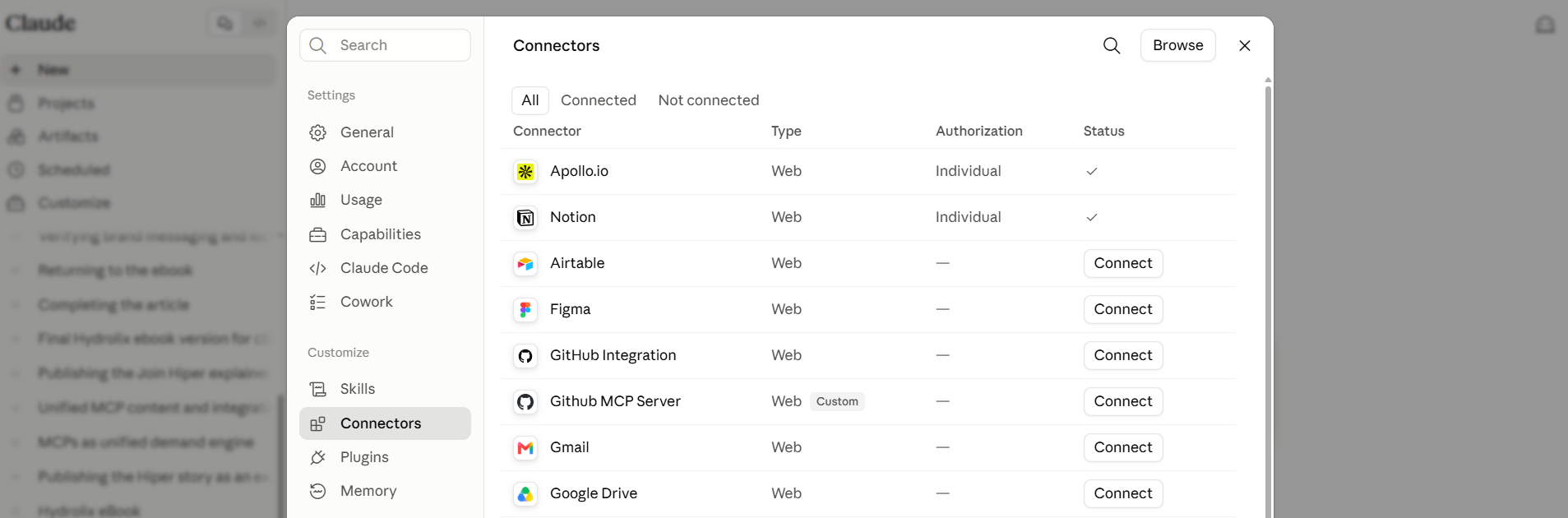
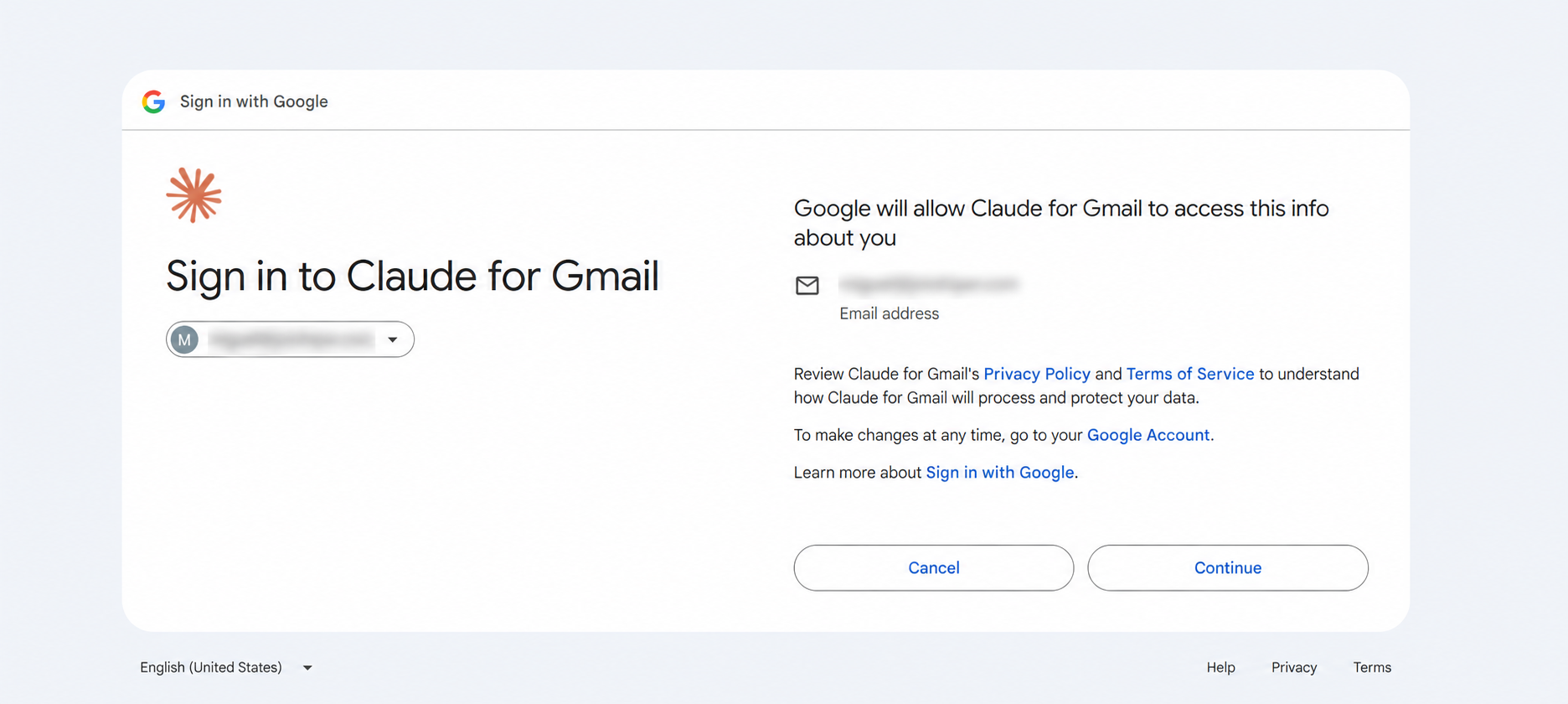
Claude offers Gmail as part of its native Google Workspace connectors. To connect it, open the connector directory, select Gmail, and authenticate with the Google account you want Claude to access. Setup uses Google's OAuth flow, so a standard connection needs no API keys or separate developer project.
Once connected, Claude can use Gmail whenever a request needs inbox context or an email action. According to Anthropic's current documentation, the connector supports:
- Searching and reading emails using natural-language requests;
- Drafting messages with formatting and conversation context;
- Sending, replying to, and forwarding messages, with explicit approval required by default;
- Accessing message and attachment metadata, but not attachment content directly through Gmail;
- Managing labels and threads;
- Listing drafts already saved in the connected account.
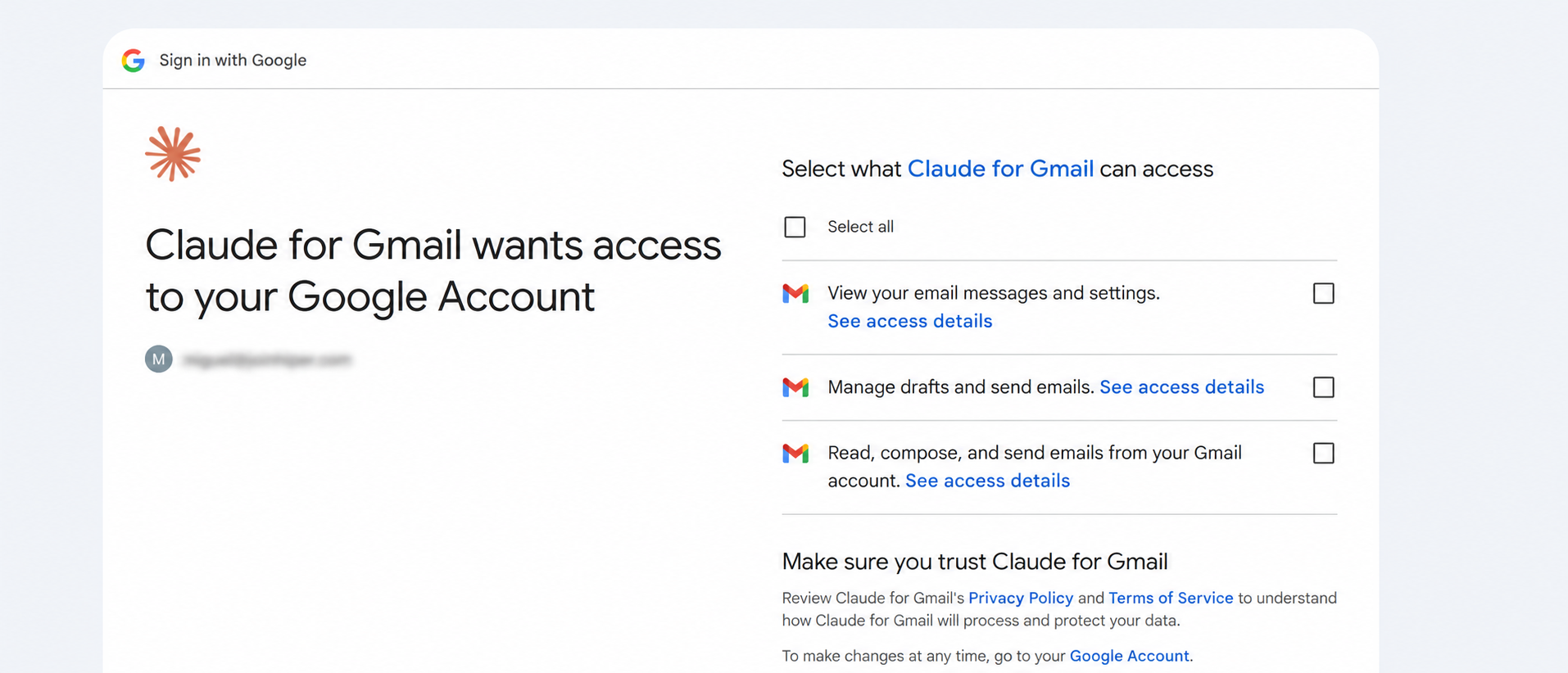
For Team and Enterprise accounts, an Owner or Primary Owner must enable Google Workspace connectors at the organization level, and a Workspace administrator may need to mark Claude as a trusted third-party application before employees can authenticate. These controls matter for B2B teams because connector access should reflect organizational policy, not an individual's settings.
The Workflow: From Account Signal to Relevant Outreach
Consider an account that stalled after a pricing conversation last quarter. It now shows renewed activity, a spike in website visits, a new hire in a relevant role. Run through Apollo, the agent confirms the company still matches the Buyer Profile and surfaces the new contact.
Searched in Gmail, the earlier thread shows exactly where the conversation stalled: not price itself, but the timing of the buyer's budget cycle. With both sources in hand, the agent can draft a follow-up that acknowledges the earlier conversation and reopens it around that specific timing, rather than restarting from a generic pitch.
The resulting sequence looks like this: the demand engine identifies the account based on a defined signal, a research connector enriches the company and contact record, Gmail supplies the relationship history, the agent prepares a context-aware next action, a person reviews or approves it, and the response feeds back into the systems used to measure pipeline.
Salesforce's 2026 State of Sales research found that sellers expect fully implemented agents to reduce email-drafting time by 36%. The productivity gain isn't only about producing sentences faster; it comes from cutting the time spent retrieving context and moving information manually between disconnected tools.
Where Gmail Fits in Hiper's Demand Engine
A connector gives an agent access to a tool. A demand engine defines how that access contributes to a repeatable business outcome. Gmail can search a conversation and execute an approved email action, but it does not independently determine:
- Which accounts should receive attention now;
- Which buying or intent signals matter;
- How account research should influence the message;
- Which positioning or campaign angle should be used;
- When human approval is required;
- How email activity coordinates with other channels;
- Whether the interaction generates qualified pipeline.
Those decisions belong to the orchestration layer around the connector. Hiper designs and operates that broader system, combining data, research, content, execution rules, and measurement into a managed demand engine. Gmail is not the strategy and not the entire workflow; it's the channel through which a qualified, context-rich action takes place. This is the same principle behind designing a demand engine for B2B SaaS: value comes from connecting tools around a defined process, not from adding another isolated one.
Designing the Right Approval Layer
Email deserves stronger controls than many internal agent actions. A summary can be corrected and a CRM field can usually be updated, but an external email is timestamped, visible to the recipient, and difficult to fully take back.
Claude asks for approval before sending, replying to, or forwarding Gmail messages by default. On Team and Enterprise plans, owners decide whether members can permit certain actions to run without asking every time. But the send capability existing doesn't mean every team should use it the same way. Gartner's prediction that more than 40% of agentic AI projects will be canceled by the end of 2027, largely over unclear value and inadequate risk controls, is a reasonable argument for building the approval layer deliberately rather than defaulting to full autonomy on day one.
A practical demand engine applies different levels of control by risk:
- Draft only: the agent prepares the message and leaves it for manual review and sending.
- Approval before send: the agent prepares the message and requests confirmation before the connector sends it.
- Policy-based execution: lower-risk actions follow predefined rules, while sensitive accounts, claims, or deal stages always require review.
For early implementations, draft-only or approval-before-send workflows give the clearest way to evaluate quality: whether the agent selected the correct thread, used accurate account context, preserved the right tone, and proposed an appropriate next step, before increasing its autonomy.
Regardless of the approval model, a few safeguards should stay in place: ask the agent to identify the thread and account information it used, treat generated outreach as a proposed action rather than a final answer, check for tone drift across longer sequences, require human review for sensitive accounts or commitments, and track replies and pipeline outcomes rather than just message volume. The goal isn't to maximize autonomous email volume. It's to make relevant execution more consistent without separating it from human accountability.
Getting Started
Begin with a narrow, observable workflow. Connect Gmail, then ask the agent to locate and summarize a thread you already know well. Check whether it identifies the right participants, reconstructs the conversation accurately, and distinguishes facts in the thread from its own interpretation.
Once retrieval is reliable, ask it to prepare a follow-up based on that history. Then add account research from a connector such as Apollo and compare the new draft against one built from Gmail context alone. The final step is connecting the action to a measurable demand process: why the account was selected, which signal initiated the task, what approval is required, and where the response gets recorded. Without those elements, the workflow is still a useful productivity shortcut. With them, Gmail becomes part of an agentic demand engine, the same pattern explored in how MCP turns a fragmented toolset into an agentic demand engine.
Frequently Asked Questions
Can the Gmail connector send emails automatically?
Claude can send, reply to, and forward Gmail messages, and by default asks for explicit approval before each action. On Team and Enterprise plans, owners decide whether members can allow certain actions to run without asking every time. Teams can also choose a draft-only workflow when every message needs manual review.
What can an agent see once Gmail is connected?
Claude can access Gmail data available to the connected account when a request requires it, including email content, threads, labels, and message and attachment metadata. Attachment content itself is not directly accessible through the connector, and Claude cannot exceed the permissions of the authenticated account.
Do I need a Google Cloud project or API keys?
No. The standard Gmail connection uses a native Google OAuth flow. Team and Enterprise owners must enable the connector for their organization, and some Workspace domains may require an administrator to approve Claude as a trusted application.
How does Gmail work with Apollo MCP?
Apollo can supply current company and contact research while Gmail supplies the history of the existing relationship, letting an agent prepare outreach that reflects current intelligence without repeating or contradicting earlier conversations.
What does Hiper add to the Gmail connector?
Hiper designs and operates the demand engine around the connector: defining account-selection signals, coordinating research and messaging context, setting execution and approval rules, connecting the workflow with other channels, and measuring whether the activity contributes to pipeline.
Is Gmail connector data used to train Anthropic's models?
Anthropic states that it does not train its models on data retrieved through the Gmail, Google Drive, or Google Calendar connectors. Content manually copied into consumer chats may be treated according to the user's separate model-improvement settings. Teams handling sensitive inbox data should confirm the current policy that applies to their account before deployment.

